Streaming data from MVN to MANUS Core
Introduction
Hand position data can be streamed from MVN to MANUS Core over the network. Please note that streaming other joints than the hands is not supported at this time.
Configuring MVN
- In MVN, navigate to the
Network Streamer.
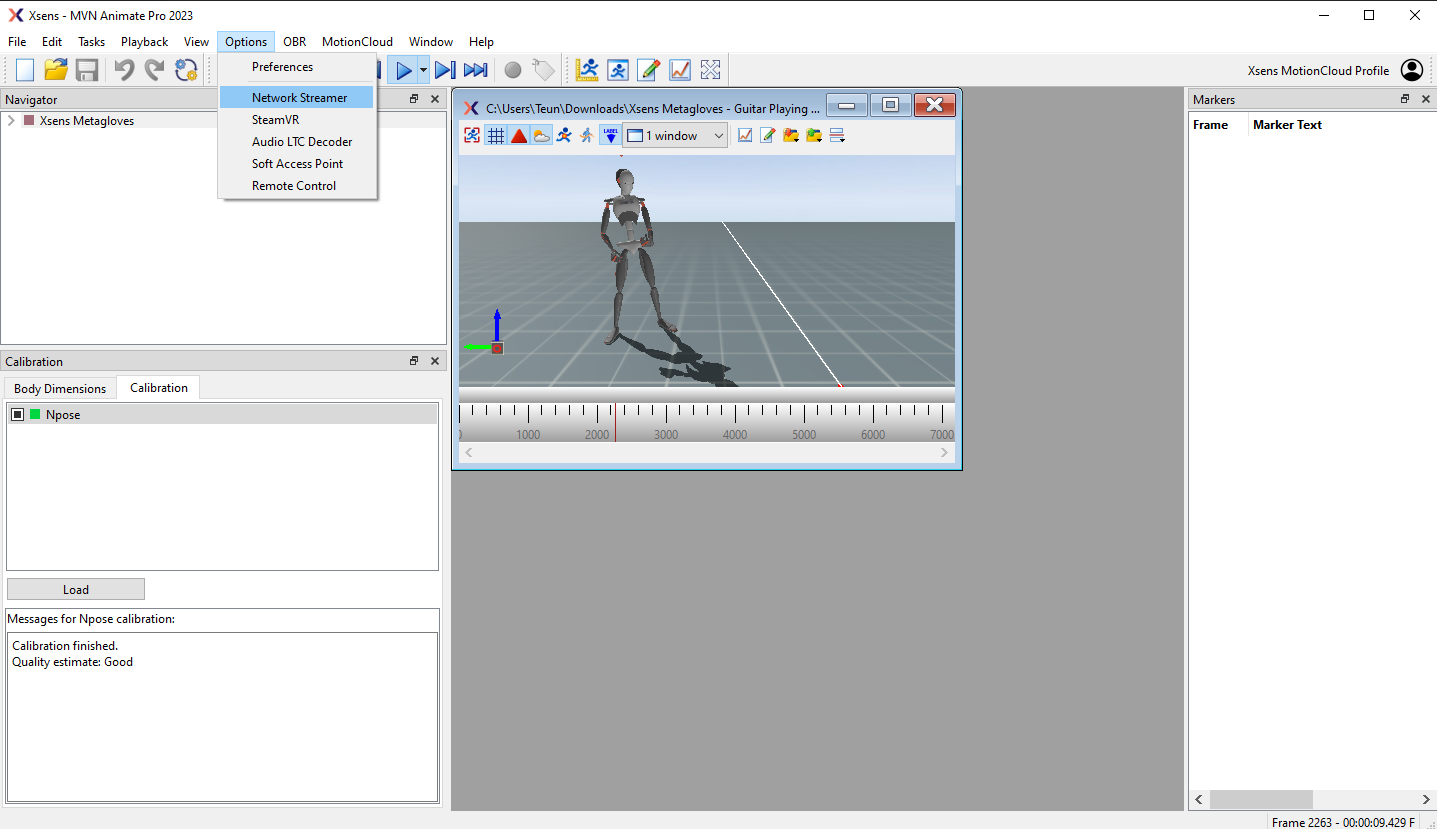
- Add a datastream if one is not present yet and note the
ipandport. - Make sure the selected protocol is
UDP. - Make sure
Position + Orientation (Quaternion)is marked.
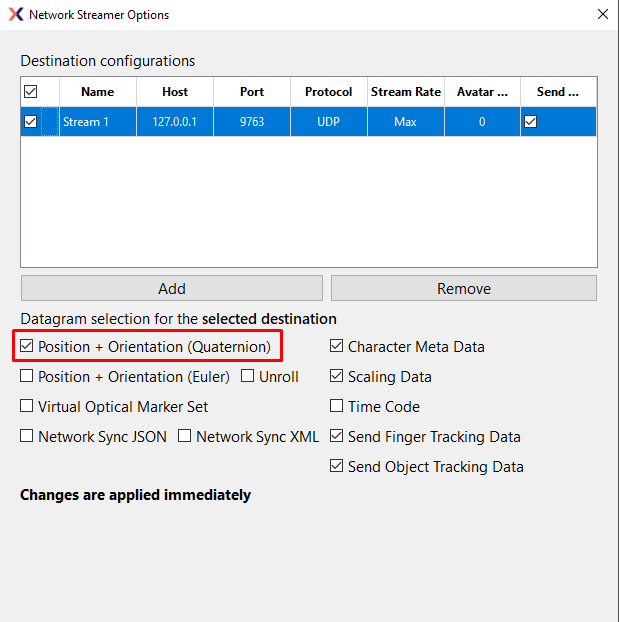
MVN is now streaming out data over the network.
Configuring MANUS Core
- Navigate to Tracking Systems in the settings.
- Make sure the
ipandportmatch what has been set in MVN.
The default port is 9763.
The default Host IP is 127.0.0.1. Use this when MVN is running on the same computer as MANUS Core.
- Enable MVN.
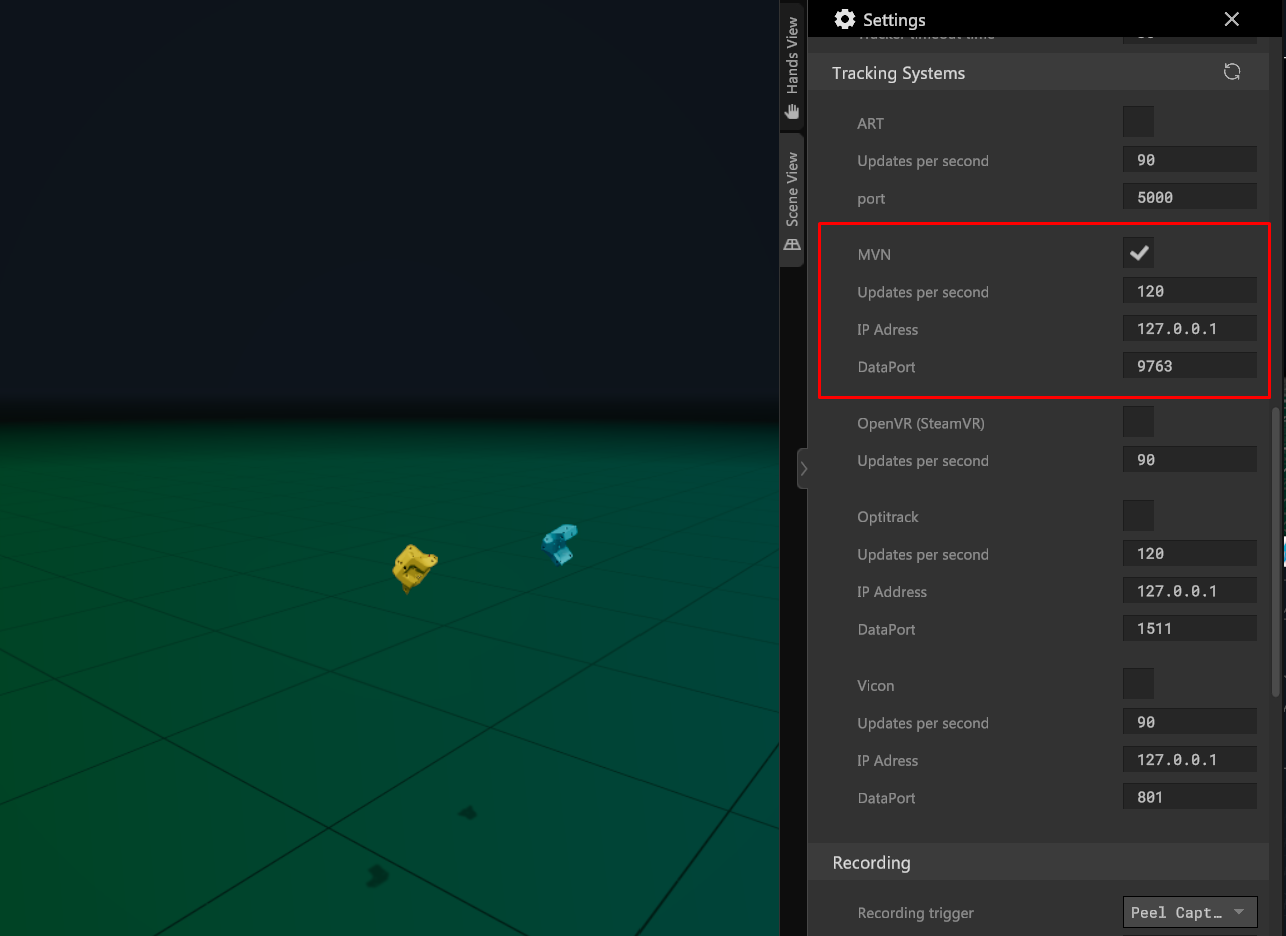
MANUS Core should now receive hand positional data from MVN.
- Now assign the trackers to your user.
For more information on this, see users.
- If the hands appear misaligned or oriented incorrectly, you can adjust them using the Tracker Offsets.